Can I set an article as only visible internally?
Last updated: February 19, 2026
Yes - you can mark an article as either visible to everyone (public), visible to customers or certain subsets of customers, or visible just to members of your team (internal).
Steps
Click on the relevant article.
Click on the gear icon in the top bar of the article.
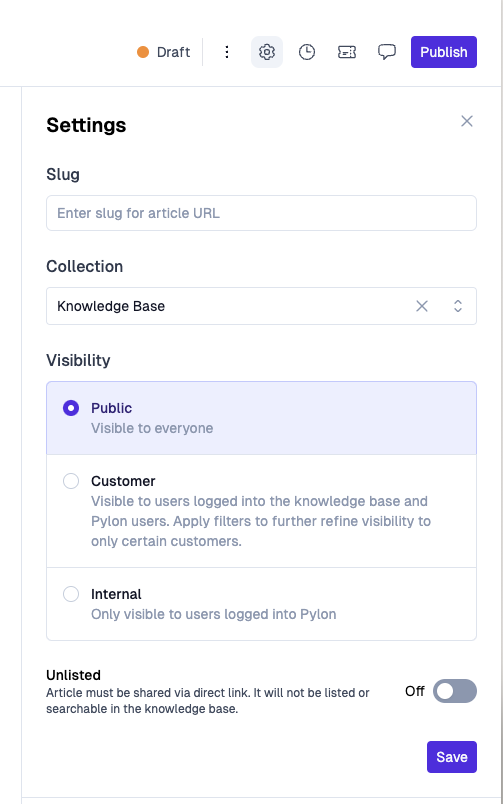
Set the visibility preferences you'd like.
More Reading
For bulk visibility changes, Customer visibility with account filters, or AI Agent Access, see 📄 How to Control Access to Knowledge Base Articles.