
Direct link only
How do I integrate Pylon with Rootly?
Setting up the Integration
Make sure you are a Rootly administrator before going through the app install process.
Go to the Apps Directory page.
Click on the Rootly app and hit Connect.
Login to Rootly and create a role for your API token (or use an existing role)
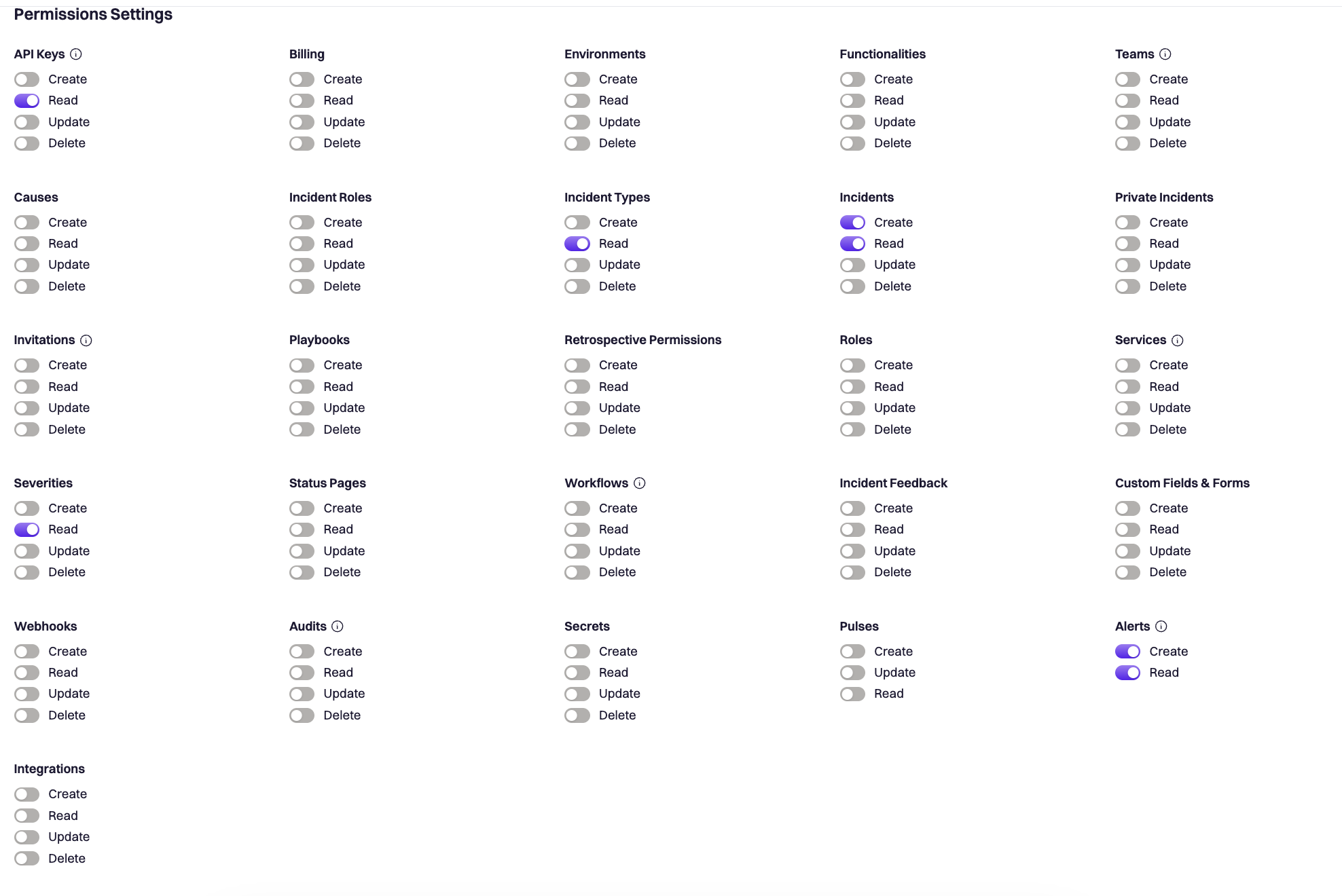
Make sure the role has at least the following config above
Create an API token, and copy the token into Pylon
Connecting Pylon issues to Rootly
In the Issue sidebar, you can search for Rootly incidents to attach. Search for existing incidents, or create a new incident.