How do I add embeds into the knowledge base?
Last updated: October 1, 2025
You can embed custom content from sites like Arcade and Scribe into the Pylon knowledge base.
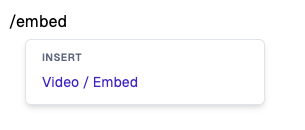
You can create an embed by typing /embed into the editor.
Important Notes
This method may not work for all types of interactive embeds. The hosting site must support embeds.
If you encounter any issues with the embed, ensure you're using the correct embed link provided - it should not be a full HTML snippet but just a direct embed link.
Here's an example of an embedded Scribe:
Common Examples
Youtube
💡 We automatically try to convert youtube video URLs to embed for you, so feel free to directly paste in the video URL.
Embed URL format: https://www.youtube.com/embed/<videoID>
Loom
💡 We automatically try to convert Loom video URLs to embed for you, so feel free to directly paste in the video URL (the /share link, not the /embed link)
URL format: https://www.loom.com/share/<videoID>
Vimeo
💡 We automatically try to convert Vimeo video URLs to embed for you, so feel free to directly paste in the video URL.
Embed URL format: https://player.vimeo.com/video/<videoID>
Scribe
Arcade
Embed URL format: https://demo.arcade.software/...
Wistia
Embed URL format: https://fast.wistia.net/embed/iframe/<videoID>
Notion
Notion currently does not support embeds natively. There exist unofficial third party sites that create embeds for notion pages but your mileage may vary.