Datadog Incident Trigger Recipe
Last updated: March 26, 2026
Summary
The following recipe outlines the steps required to set up a Pylon trigger that will create a Datadog Incident. This can be extended to other Datadog actions, including creating an on-call page (endpoint).
Step 1: Generate Datadog API Token & Application Key
You'll need two credentials from your Datadog organization settings:
API Token — https://us5.datadoghq.com/organization-settings/api-keys
Application Key — https://us5.datadoghq.com/organization-settings/application-keys
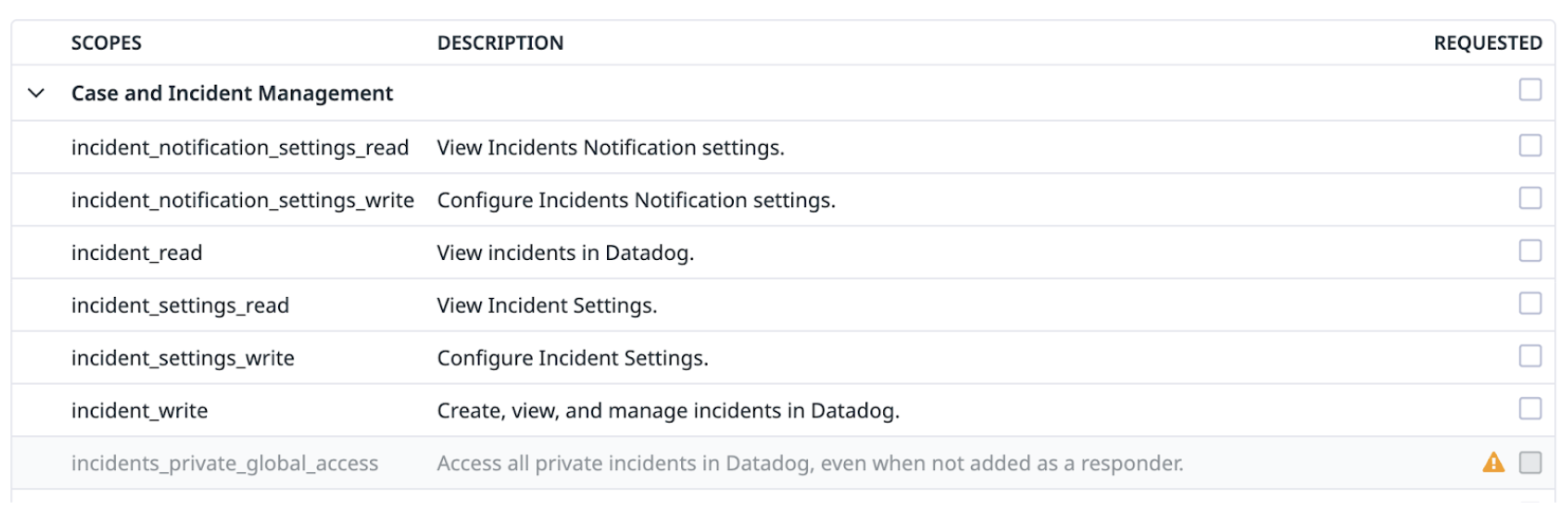
The Application Key needs Case & Incident Management scopes enabled (or whatever scopes are necessary for the specific endpoint you are trying to hit):
Step 2: Create Webhook
Datadog Base URL
For the Base URL of all these webhooks, make sure the URL matches the region your Datadog instance is set up with:
Site | SiteBase URL |
US1 |
|
US3 |
|
US5 |
|
EU |
|
Triggering an Incident
URL: {{baseURL}}/api/v2/incidents
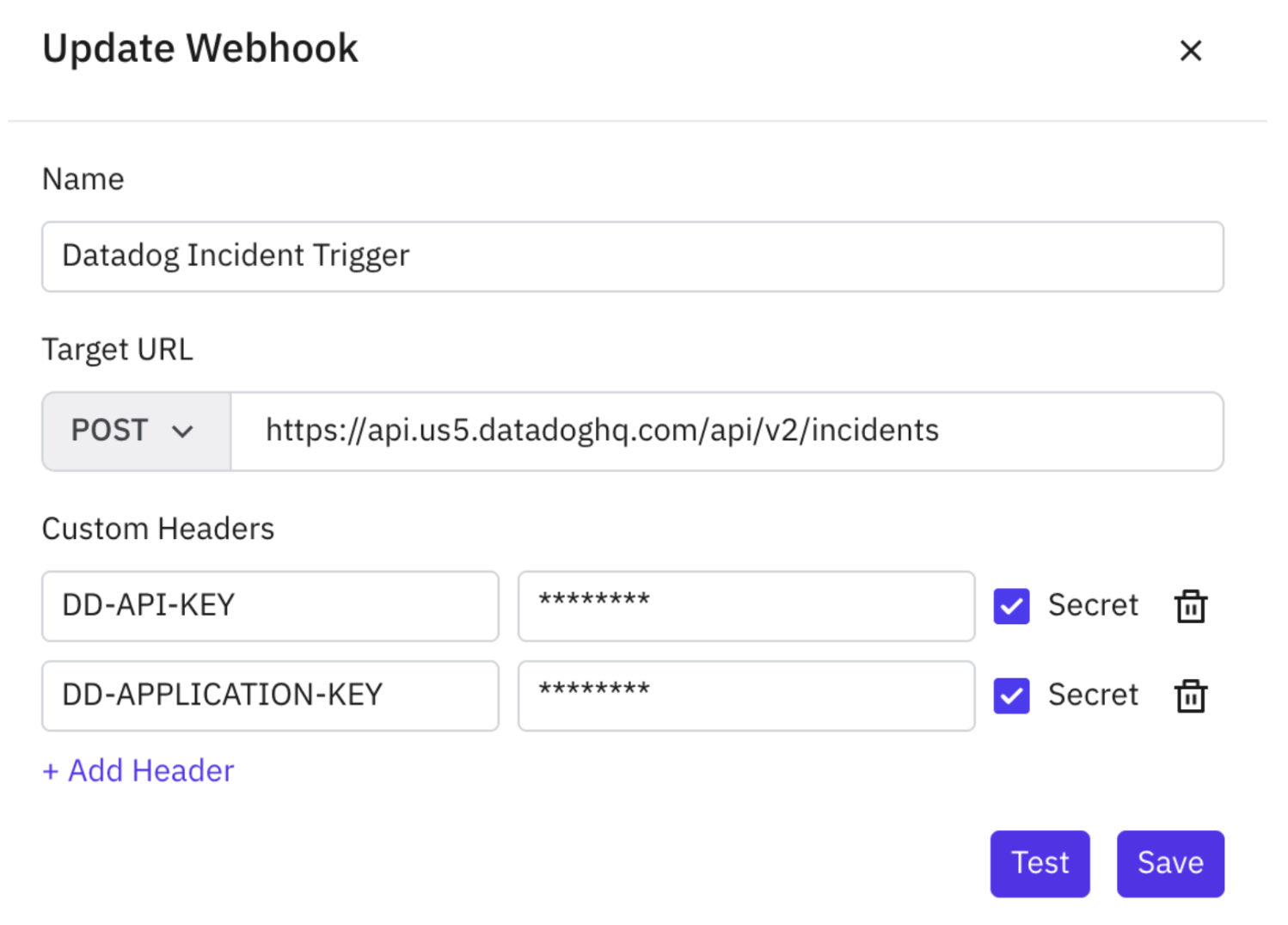
Create a webhook in Pylon with the following configuration:
Name: Datadog Incident Trigger
Target URL:
POST https://api.us5.datadoghq.com/api/v2/incidents(use the base URL for your region)Custom Headers:
DD-API-KEY— your Datadog API key (mark as Secret)DD-APPLICATION-KEY— your Datadog Application key (mark as Secret)
Step 3: Create Trigger
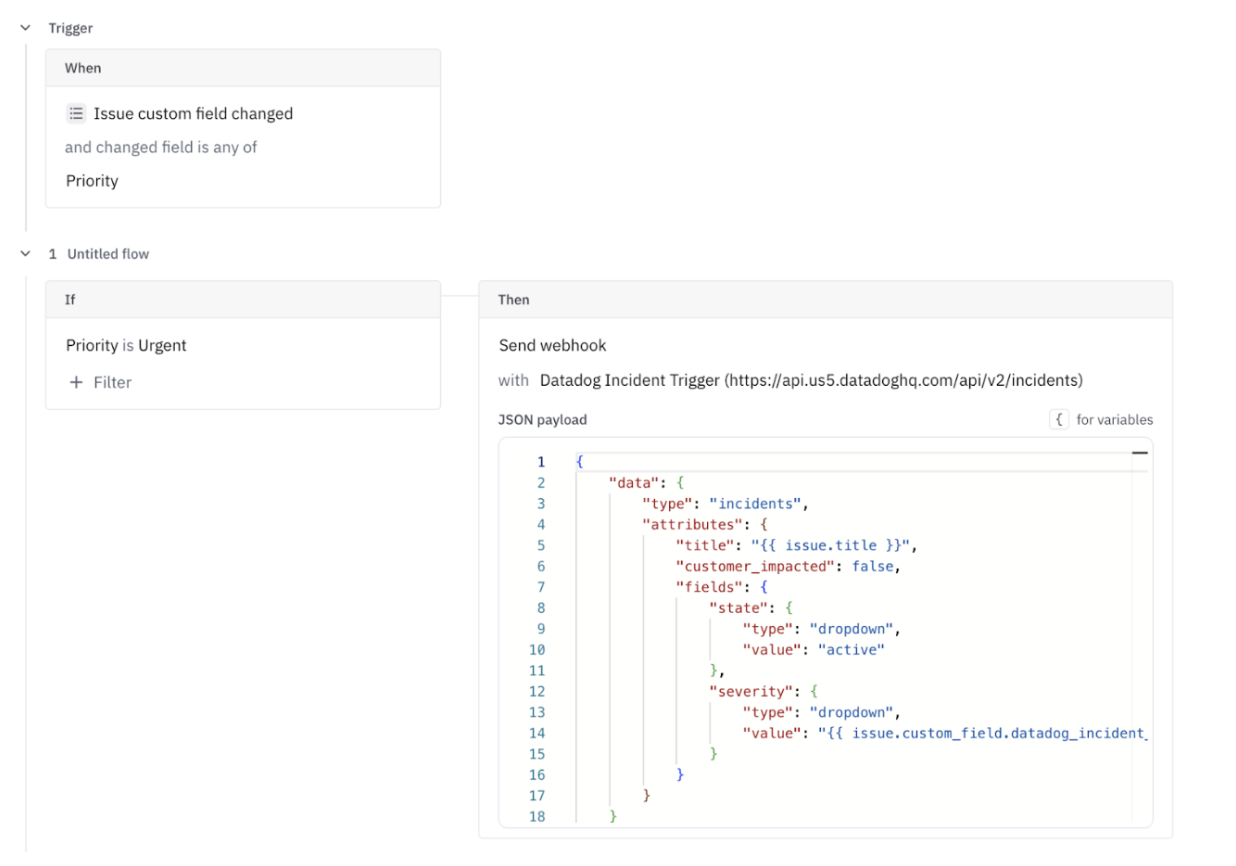
The triggering event is whatever should "invoke" or "set off" the incident within Datadog. The webhook payload should follow the schema defined in this endpoint (Datadog docs). You can pass in issue fields if you'd like to specify things like Incident Severity, Incident Title, etc.
Example trigger configuration:
When: Issue custom field changed → Priority
If: Priority is Urgent
Then: Send webhook → Datadog Incident Trigger
Example JSON payload:
{
  "data": {
    "type": "incidents",
    "attributes": {
      "title": "{{ issue.title }}",
      "customer_impacted": false,
      "fields": {
        "state": {
          "type": "dropdown",
          "value": "active"
        },
        "severity": {
          "type": "dropdown",
          "value": "{{ issue.custom_field.datadog_incident_severity }}"
        }
      }
    }
  }
}