I'm migrating articles from another knowledge base to Pylon, how do I keep my old URLs functioning?
Last updated: June 12, 2024
You can make sure that all the URLs of your existing knowledge base articles stay accessible and point to the proper articles in Pylon once you complete your migration.
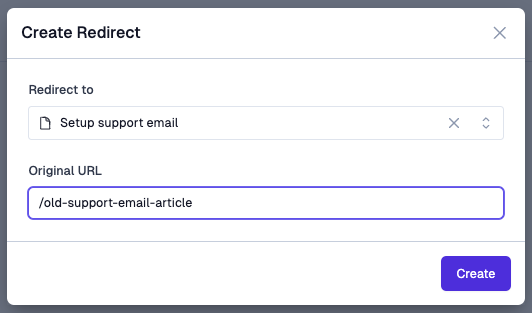
To do this, visit the Route Redirects tab of your Pylon knowledge base and create a new redirect.
Select the page within your Pylon knowledge base you want to redirect to and provide the previous relative link for that page.
For example, if you wanted an article in your old knowledge base that was available at https://support.company.com/old-support-email-article to redirect to your new equivalent article in Pylon, you would create the below redirect rule.