How do webhook triggered automations work?
Last updated: October 8, 2026
Use webhook-triggered automations when you want an external system to kick off a Pylon automation by sending a JSON payload to Pylon.
For example, you can send GitHub webhooks to Pylon and launch an automation that updates your KB articles based on the code change or you can send webhooks from your app when a customer performs a specific action to do customized outreach.
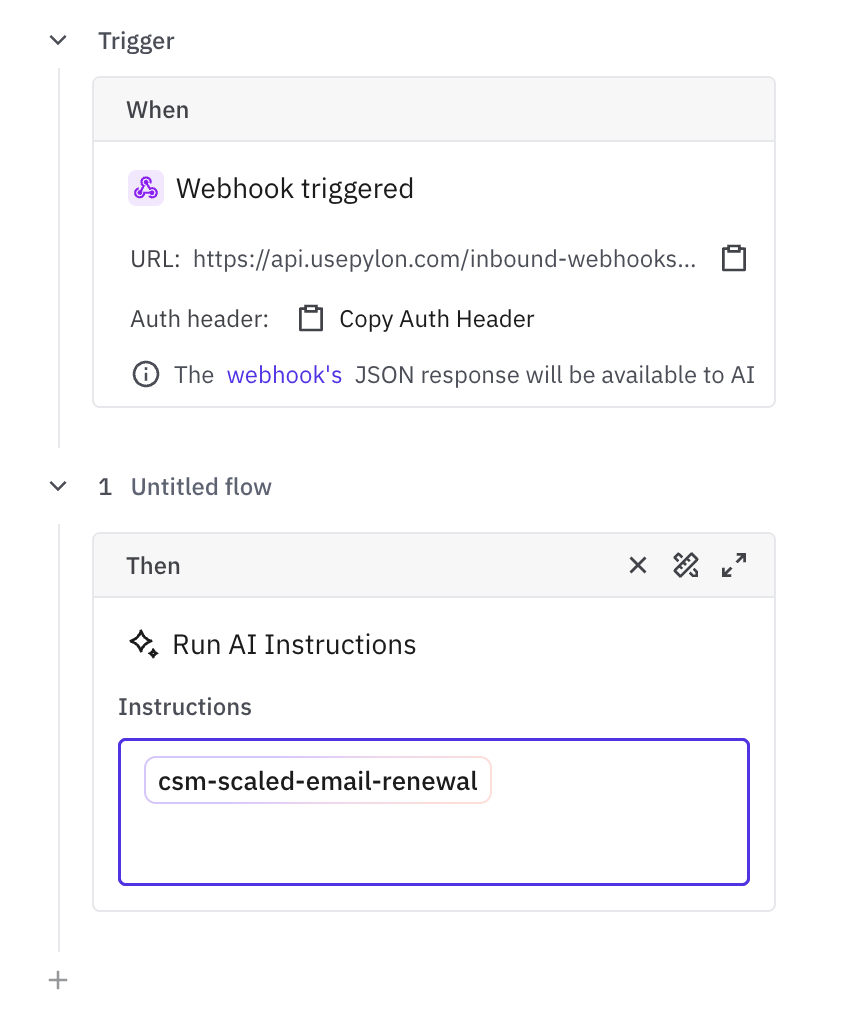
Endpoint
Send requests to the inbound webhook URL:
POST https://<api-host>/inbound-webhooks/<webhook-id>Authentication
Authenticate with a bearer token in the Authorization header:
Authorization: Bearer <token>Accepted HTTP methods
Only POST is accepted.
Request body
The request body must be valid JSON. Pylon does not require a specific schema: the body is accepted as raw JSON and passed through to the trigger and AI instruction.
{
  "event": "customer.alert.created",
  "customer": {
    "name": "Acme",
    "external_id": "cus_123"
  },
  "alert": {
    "severity": "high",
    "summary": "API error rate exceeded threshold"
  }
}
Important constraints:
The body must be valid JSON.
The maximum request body size is 1 MB.
Example request to test
curl -X POST "https://<api-host>/inbound-webhooks/<webhook-id>" \
  -H "Authorization: Bearer <token>" \
  -H "Content-Type: application/json" \
  -d '{
    "event": "customer.alert.created",
    "account_external_id": "cus_123",
    "severity": "high",
    "message": "API error rate exceeded threshold"
  }'
What the automation sees
The automation receives the webhook payload as structured context, similar to:
{
  "page": "inbound_webhook",
  "inboundWebhookID": "<webhook-id>",
  "payload": {
    "event": "customer.alert.created",
    "account_external_id": "cus_123",
    "severity": "high",
    "message": "API error rate exceeded threshold"
  }
}
Because the payload is passed through without schema validation, design the agent instructions to read the fields your integration sends. For example, if your payload includes account_external_id, severity, and message, the agent should be instructed how to use those fields.