Phone Support
Last updated: March 31, 2026
Phone Support in Pylon
Pylon's Phone feature enables your support team to handle inbound and outbound phone calls directly within your existing Pylon workflow. Rather than managing calls in a separate tool, phone conversations are treated as first-class issues — giving your agents full customer context, call transcripts, and AI-powered summaries alongside every other support channel.
Overview
With Phone, you can:
Receive and make calls directly from Pylon
Automatically create and associate issues with phone calls
Access call recordings and transcripts on each issue
Handle callbacks, voicemails, and call transfers
Set support hours to manage call routing outside business hours
View phone call data in your analytics dashboards
Set up Phone
If you do not see the following options in your organization, Phone & SMS most likely is not enabled for your organization. You must reach out to your AE or CSM to have the Phone functionality enabled for your organization.
Phone is an add-on feature ($35/user/month).
Go to Settings > Phone & SMS
In the upper-right-hand corner, click Add Phone Number
You can port in an existing number or add a new number
Once you add a new number, you should be able to click into it and view this page
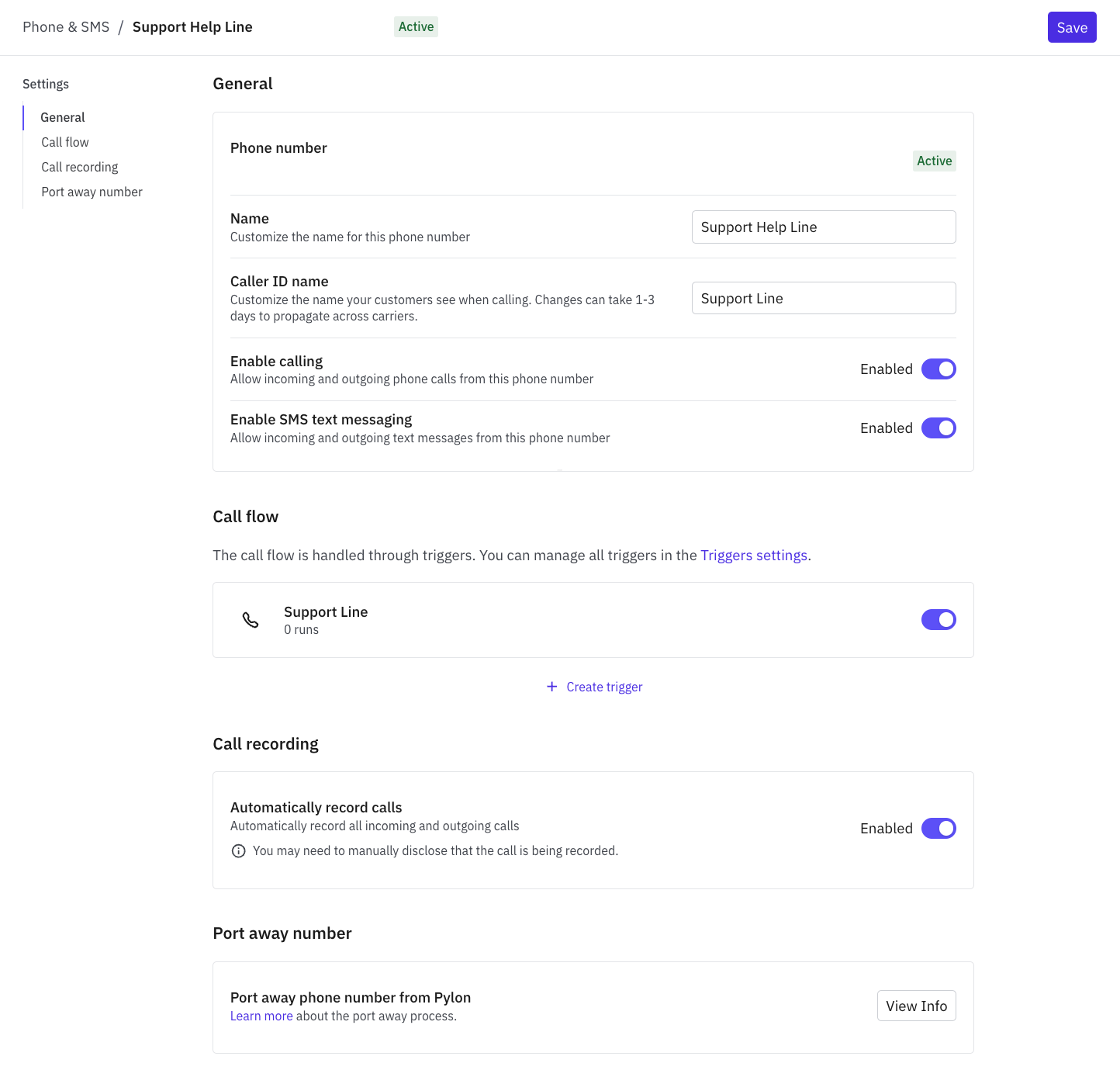
Name: What you have named the phone line (internal)
Caller ID Name: This is what will show up on customers phones when a Pylon user is calling them
Enable Calling: Whether you want this number to be able to make & receive calls
Enable SMS text messaging: Whether you want this number to be able to make & receive texts
Note: If you want to be able to send text messages, you need to go through the 10DLC process available in the Pylon platform on the Carrier Registration tab. 10DLC is not required for calling.
Call Flow: Where you set up the IVR
Call Recording: If you want your calls recorded, keep this option enabled. Disabling this option will not produce a voice recording, an automatic transcript, or an AI-generated summary.
Port away number: The ability to port away a number if necessary
Set up IVR
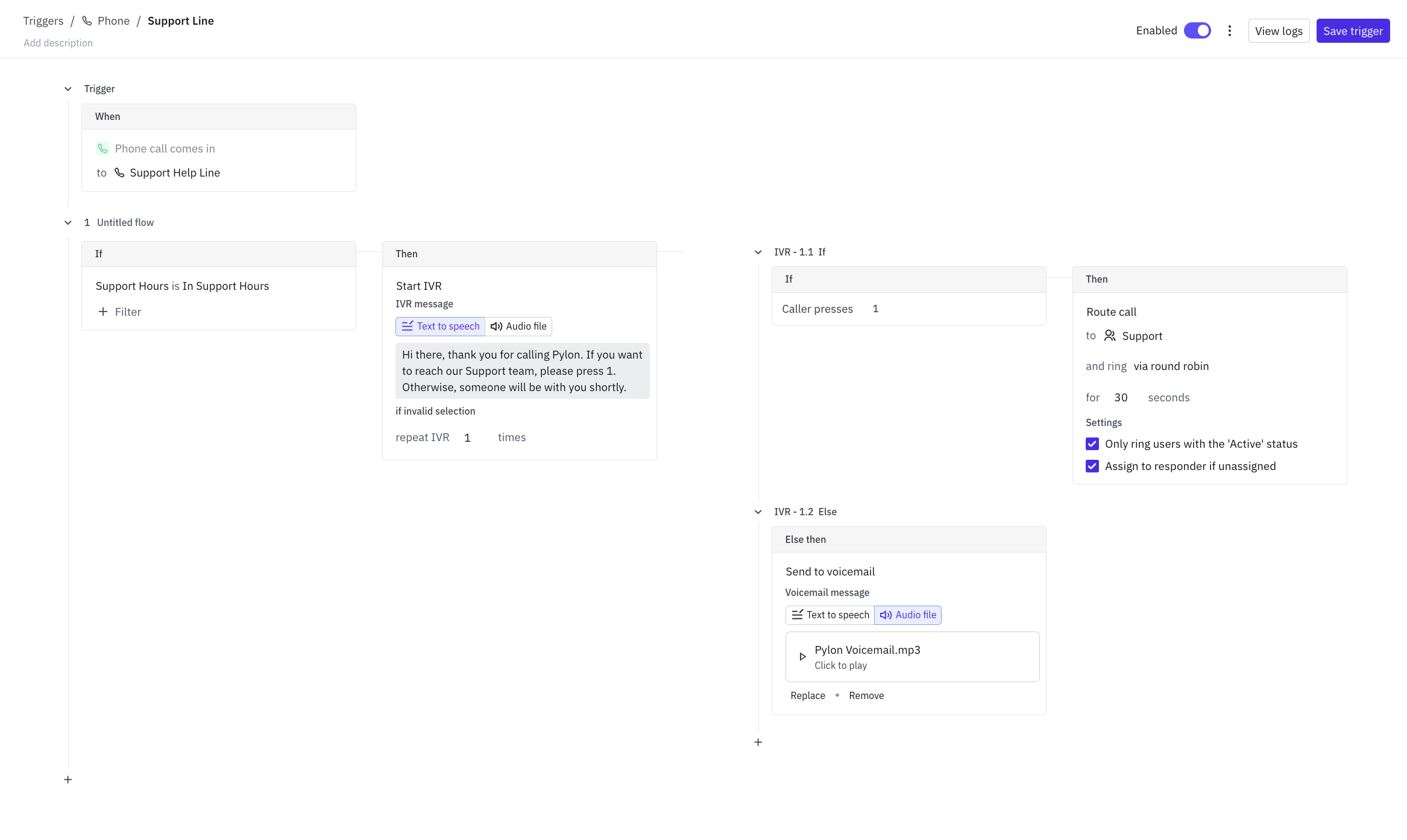
The call flow operates similarly to Pylon's triggers.
Support Hours: You can filter what happens to calls whether they occur within configured support hours or outside support hours.
Start IVR: Route calls using basic IVR functionality. Use text-to-speech or audio files.
Route calls to specific teams: Configure your teams in Settings > Teams and route calls to them via round robin
Send calls to voicemail: Use text-to-speech or upload audio files.
Inbound Calls
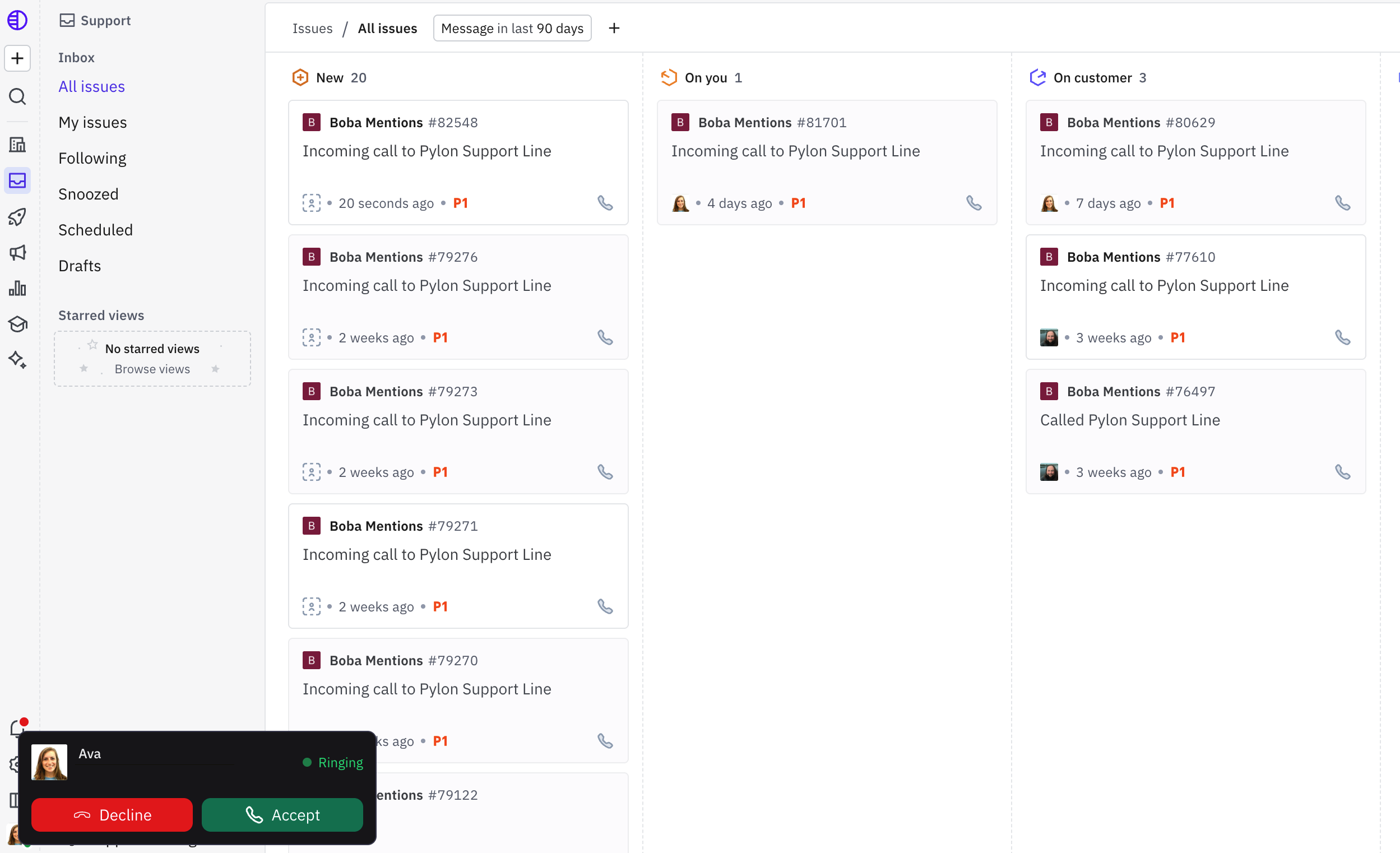
When a customer calls your support number, the call is routed to available agents in Pylon. An issue is automatically created for the call so your team can take notes, track actions, and follow up — all in one place.
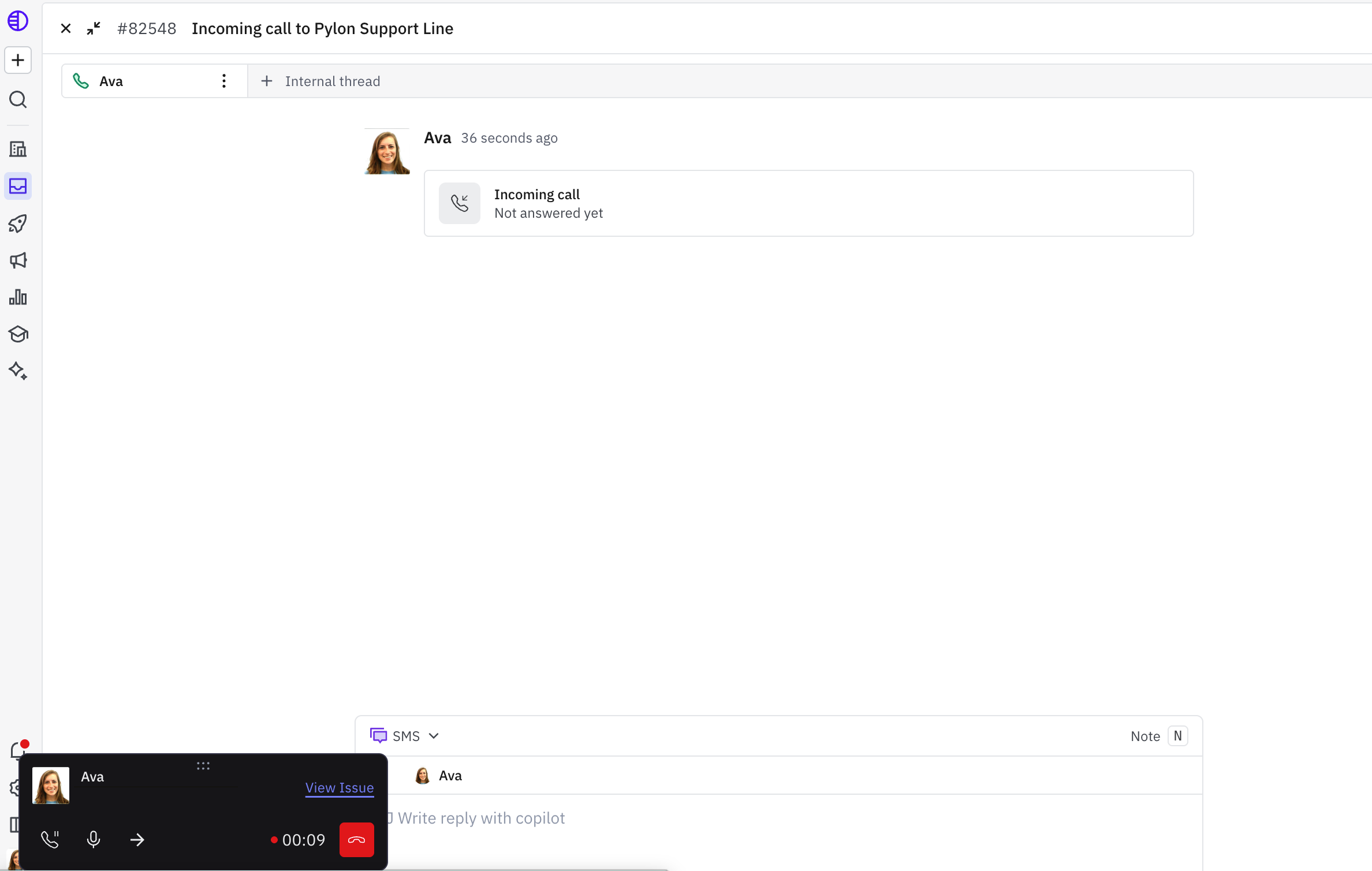
Phone icon: Allows you to put calls on hold
Microphone icon: Allows you to mute calls
Arrow icon: Allows you to transfer calls
Callback Flow
Agents can initiate a callback directly from an issue, letting customers request a return call rather than waiting on hold.
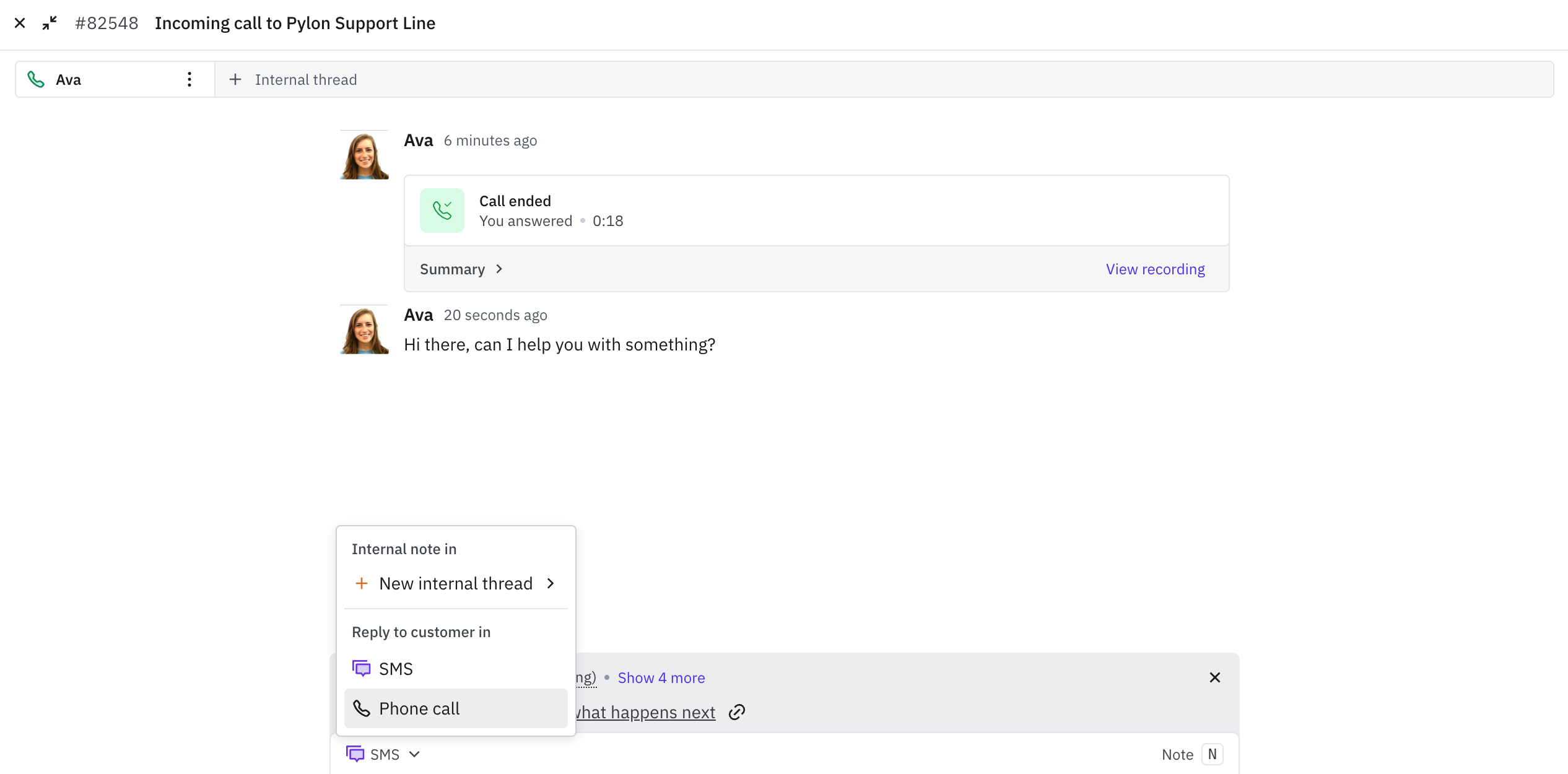
Outbound Calls
Agents can place outbound calls directly from an issue in Pylon. This is useful for proactive follow-ups or cases where email or chat has gone unanswered.
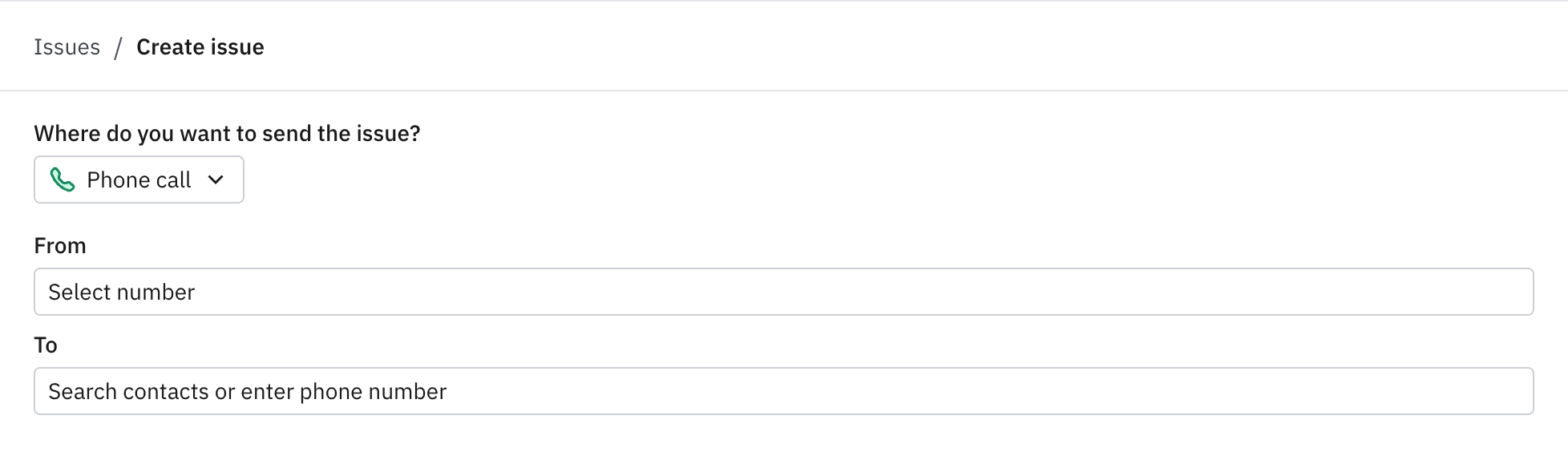
Call Recordings & Transcripts
Every call is automatically recorded and transcribed. The transcript and recording are attached to the issue created for that call, making it easy to review what was discussed and follow up on action items.
Account Intelligence
Phone calls are automatically linked to the relevant account in Pylon. Customer context — including account history, previous issues, and account data — is surfaced to the agent during the call, so there's no need to switch between tools to look up who you're speaking with.
Frequently Asked Questions
Can I use my existing phone number? Yes. You can port an existing number to Pylon or provision a new one.
What happens if no agents are available? Callers will be routed to voicemail if no agent is available or if the call comes in outside your configured support hours.
Are calls recorded by default? Yes, calls are recorded and transcribed if you have automatic call recording enabled. Check your local regulations regarding call recording consent requirements.
Can I have multiple phone lines? Yes. Pylon supports multiple phone numbers, which can be assigned to different teams.
Do phone issues show up in my regular issue queue? Yes. Phone calls automatically create issues in Pylon, which appear alongside issues from all your other channels.
Can Pylon support international calls? No. Pylon cannot currently support international calling but it is something that is currently being scoped.
Have questions? Reach out to Pylon support.