How do I allow Slack messages from bots/apps to be pulled into Pylon?
Last updated: October 7, 2026
Pylon now supports automatically pulling in messages sent by bots, apps, and Slack workflows into the platform.
This setting is OFF by default and bots/apps/workflows need to be explicitly allowed in Pylon per bot/app.
To configure
Head to the Integrations Directory and click on the Slack tile
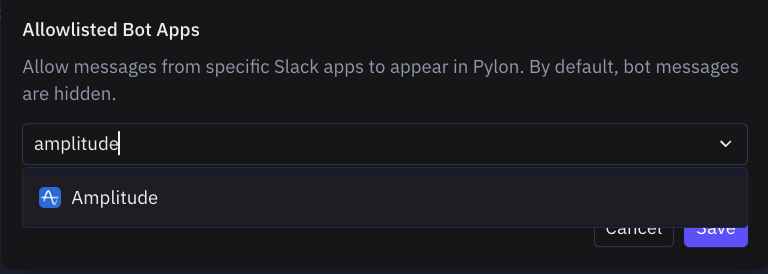
Go to the Allowlisted Bots section and select the App you want to enable and click Save.
Note: For Slack Workflows, select the "Slack Workflows" app itself (not a custom bot).
Prerequisites: The Slack channel must already be connected to Pylon as a support channel for bot messages to create issues.
This will allow future messages sent in connected slack channels to be pulled into Pylon.