Can customers close tickets in the Customer Portal?
Last updated: June 23, 2026
Context
When using the Customer Portal, organizations may want their customers to have the ability to close their own tickets once their issues are resolved. Others want the opposite: only their own team should be able to close tickets.
Answer
Yes, customers can close tickets in the Customer Portal. This is enabled by default for portal users with write access to issues.
When viewing a ticket in the Customer Portal, customers can change the ticket status through these steps:
Open the ticket in the Customer Portal
Look for the Issue Details section in the sidebar
Click the Status dropdown menu
Select "Closed" from the available options
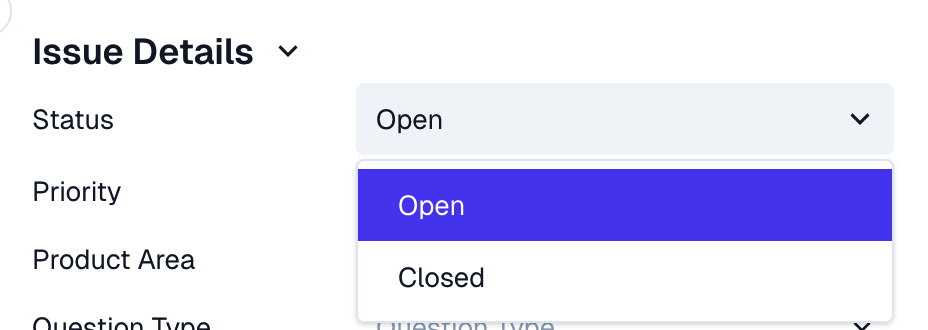
Note: The Status dropdown in the Customer Portal only supports the default "Open" and "Closed" options. Custom statuses you've created for your internal Kanban view (such as "Blocked", "On hold", "With engineering", or "Feature request") are not available to customers in the portal.
Can I prevent customers from closing tickets?
There is no dedicated setting to make just the Status field read-only in the Customer Portal. The way to prevent customers from closing tickets is through portal access control:
Assign the relevant portal users a role with View Only access on Issues. This disables the Status dropdown and blocks status changes.
Important caveat: View Only access on Issues also prevents those users from replying to tickets and editing fields in the Customer Portal. There is currently no way to allow comments while blocking status changes. The read-only option on Issues Table columns applies to custom fields only, not to status.