How to track Slack DMs in Pylon
Last updated: March 31, 2026
Pylon lets you capture important Slack direct messages and group DMs so they become part of your account intelligence. Once synced, the message appears in the account's activity log and will be available to use for account notebook insights to provide more complete account context.

Syncing a Direct Message
1. In Slack, navigate to the direct message or group DM you want to sync.
2. Hover over the message and click the three dots (More actions).
3. Select "Connect to apps", then choose the "Sync direct message" action from Pylon.
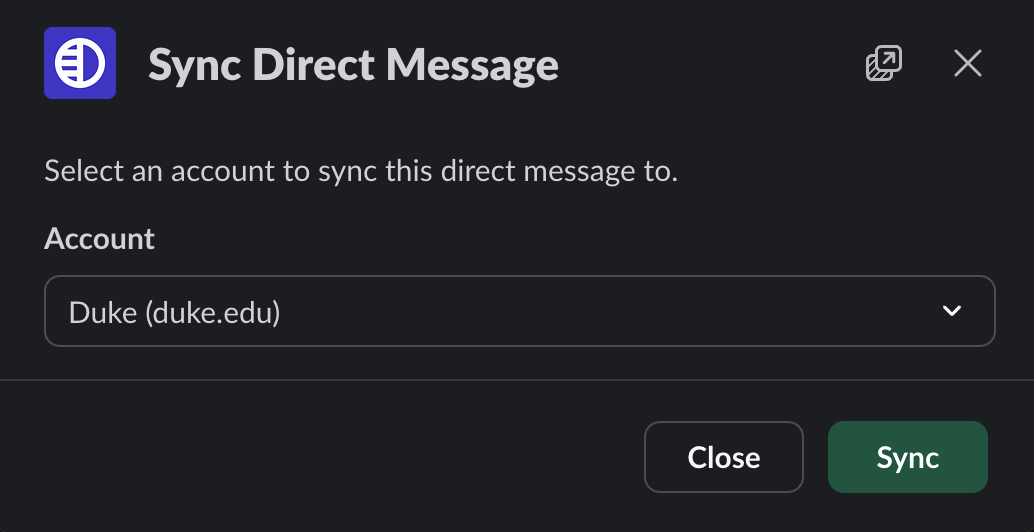
4. In the modal that appears, select the account you want to associate this message with.
5. Click Sync.
Connecting Your Slack Account (Optional)
By default, Pylon can identify the message sender and the person who synced the message. To see all participants in a DM or group DM conversation, connect your personal Slack account on the Settings > Integrations > Slack page in Pylon. This is optional but recommended for teams that want full participant visibility.